SEF e-Invoicing

Other skills

SEF is Serbia's government e-invoicing system, and I connect apps to it so invoices are sent and received straight from the software.

How I use SEF e-Invoicing

Users don't have to retype invoices on the SEF portal or keep checking it.

The client issues an invoice once, in their own software, and it goes to SEF without being entered again. Statuses update automatically and incoming invoices land in the app's inbox, which means less manual work and fewer typing mistakes.

In practice the app builds the invoice as UBL XML, the format SEF accepts, and sends it through the official SEF API using an API key the business generates in its SEF account. It supports sending, cancellation, receiving incoming invoices, checking whether a customer is registered on SEF and automatic status updates.

Before going live I test everything in the SEF demo environment, and the business's API key is stored encrypted. I build the integration with Next.js and Supabase, and the same invoice is also generated as a PDF with an IPS QR payment code.

Used in: Fakture Online.

Projects using SEF e-Invoicing

Websites and apps I built where SEF e-Invoicing was used.

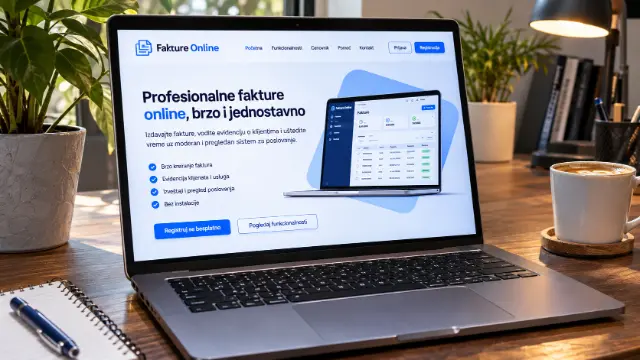
  • Fakture Online — Invoicing with SEF Integration

    Fakture Online — Invoicing with SEF Integration

    My own SaaS for online invoicing for freelancers, flat-rate entrepreneurs and small businesses in Serbia. An invoice takes half a minute, goes out by email as a PDF with an IPS QR payment code and straight to SEF, the national e-invoicing system, with an inbox, cancellations and automatic status updates. It tracks who has paid, sends reminders for unpaid invoices, creates recurring invoices and keeps the KPO ledger for flat-rate entrepreneurs. It imports bank statements and matches them to invoices by payment reference. It also works as a phone app, with two-factor sign-in. Built with Next.js and Supabase.

Frequently asked questions about SEF e-Invoicing

What is SEF in Serbia?

SEF (Sistem elektronskih faktura) is the e-invoicing platform of Serbia's Ministry of Finance, through which businesses send and receive electronic invoices. Invoices can be entered by hand on the portal or sent automatically from invoicing software through the SEF API.

Can invoicing software send invoices directly to SEF?

Yes, if the software is connected to the SEF API, invoices go to SEF straight from the software with no manual entry on the portal. The connection needs an API key that the business generates in its SEF account.

Can you connect an app to SEF?

Yes, I built the SEF integration in Fakture Online: sending invoices, an inbox, cancellations and automatic status updates. I can connect other business software to SEF in the same way.

How much does a website or app built with SEF e-Invoicing cost?

It depends on the type of project: Custom Web Application from €500. These are starting prices; you get the final price and timeline in a written offer by email.

All skills →